In September 2020, Facebook launched its newest management platform that was designed to help businesses streamline their digital marketing activities and manage their pages or profiles across Facebook, Instagram and Messenger through a more efficient, easier and faster system.
Known as the Facebook Business Suite, this interface incorporates your Facebook pages with Instagram business account into one space that is available both on desktop and in a mobile app. This business tool is the way to go to automate and simplify your everyday social media management activities, all for free!
Facebook Business Suite allows users to:
- Save time by allowing them to stay connected, and schedule and manage feed posts on both social media platforms in one place.
- Stay up-to-date by receiving and managing alerts, messages and notifications from both communities using a single app. This way, users can easily communicate and responds to customers.
- View insights and analyze business results in one glance. Through this platform, it’ll be easier to evaluate the impact of your social media content to your business and subsequently strategize, plan, and create marketing visuals that are not only effective in promoting your brand but are also aligned with the your goals and mission.
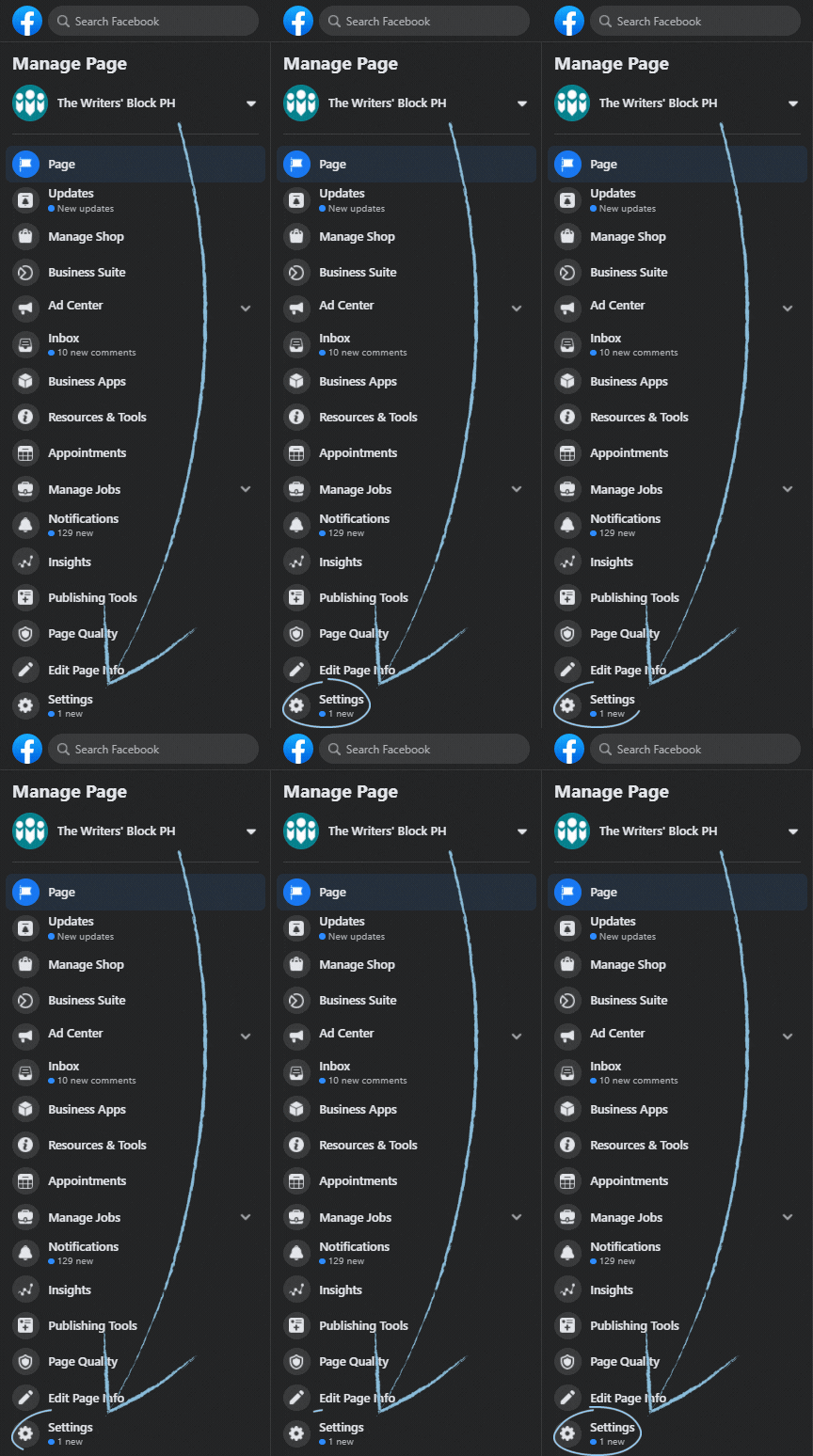
To get started with Facebook Business Suite, make sure to convert your Instagram into a business account. After which, connect your Facebook and Instagram business accounts by navigating to your Facebook Business page and clicking on “Settings”.
Once clicked, scroll down until you find Instagram on the left then follow on-screen prompts to connect your Instagram account. You can easily access this tool both on desktop or mobile.
Here’s a rundown of the its features:
Home
Your homepage dashboard allows you see an at-a-glance view of notifications, recent activities, and the latest updates from both your Facebook pages and Instagram accounts. Here, you may also look through your messages as well as create and schedule a post.
Activity
This tab enables you to access and check all recent notifications including comments, likes and mentions on Facebook and Instagram.
Unified Inbox
Reading and responding to messages coming from your Facebook page, Messenger, and Instagram account have been made easier through your unified inbox. From here, you may also create auto responses by setting up various auto responders. This will allow you to instantly communicate with your customers, share information about business pages, respond to feedback, and more.
Posts and Stories
In this section, you can create, publish, and schedule multiple posts in advance for both Facebook page and Instagram feed. While you’re at it, you can also get a detailed view of insights for each post. Further, this feature gives you access to a content calendar where you can simply manage your posting schedule.
Ads
This section allows you to check the overview of your previous ads (if you have any). You can also design new ads, boost posts, and monitor ad metrics.
Insights
The Insights tab will let you see and analyze detailed reports on the trends, audience demographics and performance of each content on both social media platforms. The overall analytics will provide clear insights about post activity and account growth from which then allows you to compare and contrast results from both channels side by side. You can also use filter to sort data in various ways.
Final thoughts
Facebook Business Suite is indeed a low-cost social media management platform that is highly suitable for small businesses who are trying to streamline their social medial marketing activities. It is a one-stop shop that has all the features needed to simplify and manage their digital presence both on Facebook and Instagram including marketing, messaging and data analytics.
While there are other several social media management tools out there, Facebook Business Suite is definitely worth a try.
Facebook has undergone many changes in the past decade. The most recent change is the switch to Meta Business Suite. This new suite is designed to help businesses manage their Facebook pages more effectively. It includes tools for creating and managing posts, analyzing page activity, and more.
Running a business and managing your social media? That’s a lot to juggle.
Consistency is key, but content creation can be time-consuming and overwhelming.
That’s where our DFY Social Media Bundle comes in, designed to help busy business owners, freelancers, and teams show up online with confidence and ease.
✅ WHAT’S INCLUDED:
📅 Monthly Social Media Content Calendar
A full month of strategic post ideas to engage your audience, build trust, and boost visibility from educational tips and value posts to fun facts and community-driven content.
🎨 12 Professionally Designed Graphics (Fully Editable in Canva)
Scroll-stopping visuals for platforms like Facebook and Instagram. Just add your logo, tweak if needed, and post away. No design skills required.
💬 Done-for-You Captions + Hashtag Vault
Skip the blank-page struggle. Each graphic comes with a ready-to-use caption and curated hashtags making your posting process faster and easier than ever.
📈 Engagement-Driven Content Themes
From behind-the-scenes moments to seasonal reminders and authority-building posts, everything is crafted to help you stay visible without burning out.💡 Perfect For:
✔️ Entrepreneurs who want to stay active online without the content stress
✔️ Virtual assistants or team members managing social media
✔️ Coaches, creatives, service pros, and small business owners
✔️ Anyone who wants to simplify their content while keeping it impactful
Discover more from The Writers' Block PH
Subscribe to get the latest posts sent to your email.
 The Writers' Block PH